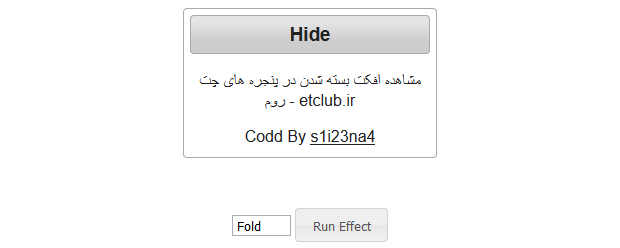
مشاهده افکت بسته شدن در پنجره های چت روم
به ادامه مطلب بروید
کدphp:
<!doctype html>
<html lang="en">
<head>
  <meta charset="utf-8">
  <title>etclub.ir-  Demo</title>
  <link rel="stylesheet" href="//code.jquery.com/ui/1.11.4/themes/smoothness/jquery-ui.css">
  <script src="//code.jquery.com/jquery-1.10.2.js"></script>
  <script src="//code.jquery.com/ui/1.11.4/jquery-ui.js"></script>
  <link rel="stylesheet" href="/resources/demos/style.css">
  <center><style>
  .toggler { width: 500px; height: 200px; }
  #button { padding: .5em 1em; text-decoration: none; }
  #effect { width: 240px; height: 135px; padding: 0.4em; position: relative; }
  #effect h3 { margin: 0; padding: 0.4em; text-align: center; }
  </style>
  <script>
  $(function() {
    // run the currently selected effect
    function runEffect() {
      // get effect type from
      var selectedEffect = $( "#effectTypes" ).val();

      // most effect types need no options passed by default
      var options = {};
      // some effects have required parameters
      if ( selectedEffect === "scale" ) {
        options = { percent: 0 };
      } else if ( selectedEffect === "size" ) {
        options = { to: { width: 200, height: 60 } };
      }

      // run the effect
      $( "#effect" ).hide( selectedEffect, options, 1000, callback );
    };

    // callback function to bring a hidden box back
    function callback() {
      setTimeout(function() {
        $( "#effect" ).removeAttr( "style" ).hide().fadeIn();
      }, 1000 );
    };

    // set effect from select menu value
    $( "#button" ).click(function() {
      runEffect();
    });
  });
  </script>
</head>
<body>

<div class="toggler">
  <div id="effect" class="ui-widget-content ui-corner-all">
    <h3 class="ui-widget-header ui-corner-all">Hide</h3>
    <p>
      مشاهده افکت بسته شدن در پنجره های چت روم - etclub.ir
    <p>
Codd By <a href="ymsgr:addfriend?sina_yek2se">s1i23na4</a>
</p>
  </div>
</div>

<select name="effects" id="effectTypes">
  <option value="blind">Blind</option>
  <option value="bounce">Bounce</option>
  <option value="clip">Clip</option>
  <option value="drop">Drop</option>
  <option value="explode">Explode</option>
  <option value="fold">Fold</option>
  <option value="highlight">Highlight</option>
  <option value="puff">Puff</option>
  <option value="pulsate">Pulsate</option>
  <option value="scale">Scale</option>
  <option value="shake">Shake</option>
  <option value="size">Size</option>
  <option value="slide">Slide</option>
</select>

<button id="button" class="ui-state-default ui-corner-all">Run Effect</button>


</body>
</html>
افزودن به علاقهمندیها
حذف از علاقهمندی
- 22 شهریور 1394
- 0 دیدگاه
- 7066 بازدید